In most homes, the Wi-Fi router broadcasts a single network name, or SSID (Service Set Identifier), that automatically connects devices to either the 2.4 GHz or 5 GHz band. This is convenient, but it isn’t always the best approach for performance or control. After using two separate SSIDs for years, I’ve found that splitting the bands can solve many common Wi-Fi frustrations. Here’s why you might want to do the same.
The Case for Separate SSIDs
Modern routers often use band steering, where the same SSID is shared across frequencies and the router decides which band a device should use. While this feature is meant to simplify things, it can lead to devices sticking to the slower 2.4 GHz band even when the 5 GHz band has better signal. By creating separate SSIDs for each band, you give yourself and your devices a clearer choice.
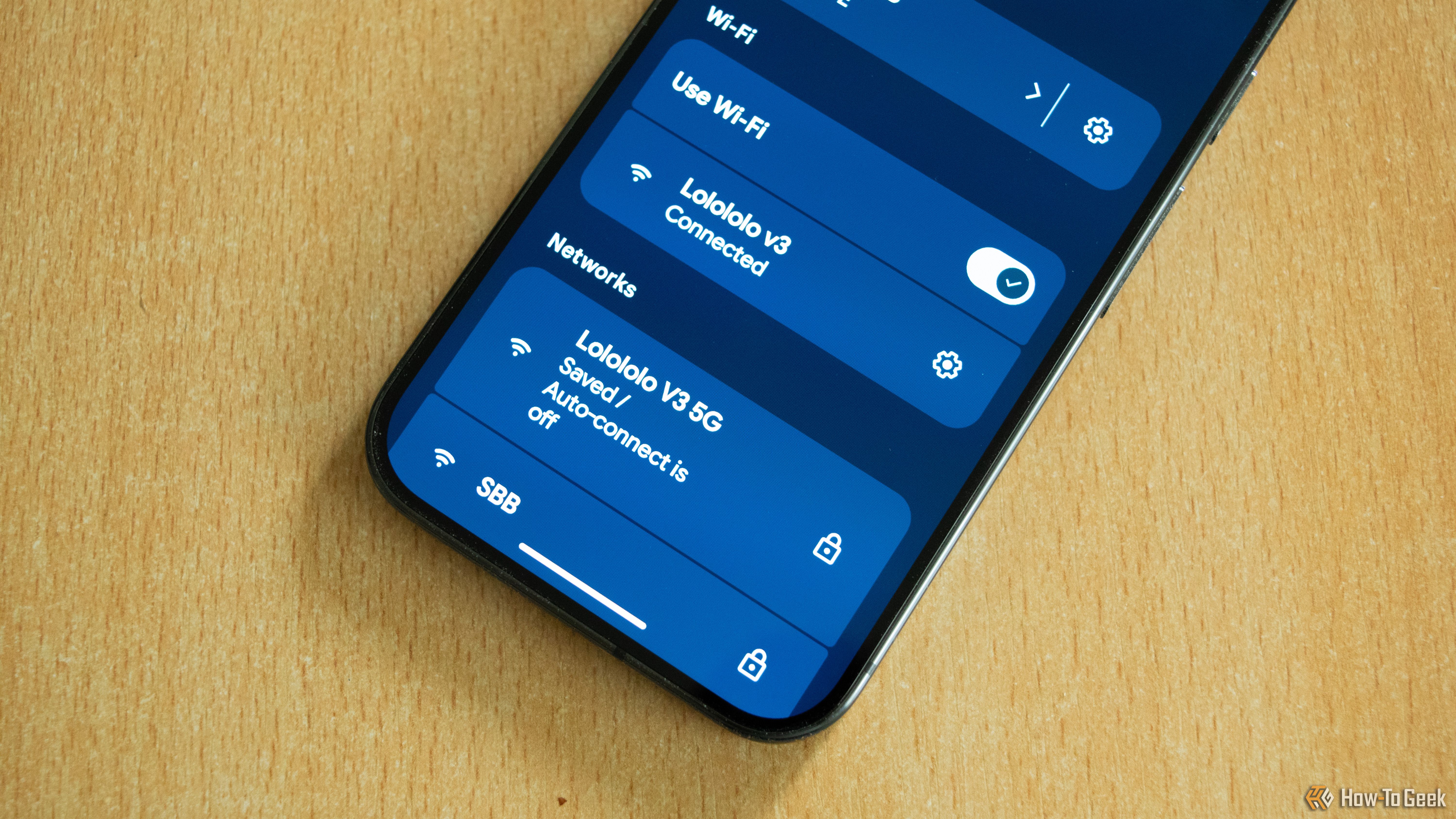
Optimizing Device Connections
When you have a single SSID, older devices or those with weak Wi-Fi chips may not properly select the optimal band. For example, a smart TV might connect to the 2.4 GHz band even if it’s right next to the router, missing out on faster speeds. With separate names, you can manually connect high-bandwidth devices like laptops and streaming boxes to the 5 GHz network, while leaving smart home gadgets on the more stable 2.4 GHz band. This approach reduces interference and maximizes throughput for the devices that need it most.
Better Control and Troubleshooting
Having two distinct network names makes it easier to diagnose problems. If a device keeps dropping connection, you can quickly switch it to the other band to see if the issue is band-related. It also simplifies testing: if only the 5 GHz SSID shows slow speeds, you know the problem lies with that frequency, not your internet connection. This granular visibility is a boon for anyone who likes to fine-tune their home network.
Practical Benefits from My Experience
Once I split my network into two SSIDs—"Home_5G" and "Home_2G"—several annoyances vanished. Here are the key advantages I’ve noticed.
Avoiding Band Steering Issues
Band steering isn’t perfect. Some routers fail to steer devices to the faster band under certain conditions, like when a device is slightly far from the router. With separate SSIDs, I never have to worry about my phone stubbornly staying on 2.4 GHz in the living room when it could be on 5 GHz. I simply connect it to the 5 GHz network and enjoy higher speeds.
Prioritizing Devices
Separate SSIDs allow you to give preference to certain devices. For instance, I keep my work laptop and gaming console on the 5 GHz network for low latency, while my several smart plugs and bulbs use the 2.4 GHz network. This way, the smart home devices don’t crowd the faster band, which improves overall network responsiveness. I can also set Quality of Service (QoS) rules per SSID if my router supports it.
How to Set Up Multiple SSIDs
Most routers (even ISP-provided ones) allow you to create separate SSIDs for each band. Log into your router’s admin interface, usually via a web browser using an IP address like 192.168.1.1. Navigate to the Wi-Fi settings section. Look for options like “Enable SSID for 2.4 GHz” and “Enable SSID for 5 GHz.” You can then give each band a unique name—for example, MyWiFi_2.4 and MyWiFi_5. Make sure to use different passwords (or the same if you prefer convenience, but separate names are the key). Save the settings and reboot the router.
If your router only has a single SSID option, you may need to disable band steering first. Some newer routers hide this setting under “Smart Connect” or “Single SSID” mode. In that case, you might need to upgrade to a router that gives you more control, such as those running open-source firmware like DD-WRT or OpenWrt.
Potential Drawbacks to Consider
Separate SSIDs aren’t for everyone. The main downside is convenience: guests or family members may get confused by two network names, and you’ll have to manually manage connections. Additionally, if you frequently move between rooms, you might need to manually switch bands on your device, whereas a single SSID with good band steering would handle this automatically.
Another potential issue is that some older devices don’t support 5 GHz at all, so they can only see the 2.4 GHz SSID. That’s fine—but if you have many such devices, the 2.4 GHz band can become congested. Also, if your router doesn’t support separate SSIDs properly, you might experience intermittent connectivity.
Conclusion
Separate Wi-Fi network names give you control, better performance for high-demand devices, and easier troubleshooting. While the convenience of a single SSID is alluring, the benefits of splitting bands often outweigh the minor hassle. If you’re tired of devices connecting to the wrong band or want to optimize your smart home, try using two SSIDs. You might find, like I did, that you never want to go back to a single name.